UI Showcase
RaspyRFM’s interface is designed to feel like a polished desktop application even when embedded in a browser. Every mock-up below is framed inside a responsive viewport so that buttons, chips, and captions remain visible on tablets, laptops, and ultrawide screens alike. The refreshed renders highlight each major surface—capture panels, entity cards, mapping timelines, and the overall front-end chrome—so the documentation reflects the production visuals without clipped edges or missing controls.
Design principles at a glance
Signal-first workflow – captured payloads surface contextual hints, so the form reacts instantly to the signal you are analysing.
Actionable inventory – device tiles expose common sends and utilities in a single tap, keeping bench testing quick and predictable.
Adaptive layouts – each capture is rendered inside a padded canvas that constrains images to the documentation column, eliminating clipped edges and preserving their original aspect ratio.
Consistent elevation – shadows, rounded corners, and colour rhythm match the live application to avoid jarring transitions between docs and UI.
Panels and layout framing

The dashboard render demonstrates how capture panels, live status cards, and the action rail sit within the viewport. Surfaces now include generous internal padding and inset highlights so buttons, badges, and text never collide with frame edges.
Front-end layout details:
Side rail tiles align to a 24px rhythm, guaranteeing that quick action chips stay centred inside their cards.
Footer status bars use a mixed-width pill treatment so connection details and automation cues remain legible even when translated.
Every panel observes the same 18–24px inset, eliminating the clipping that occurred in earlier screenshots.
Captured signal classification
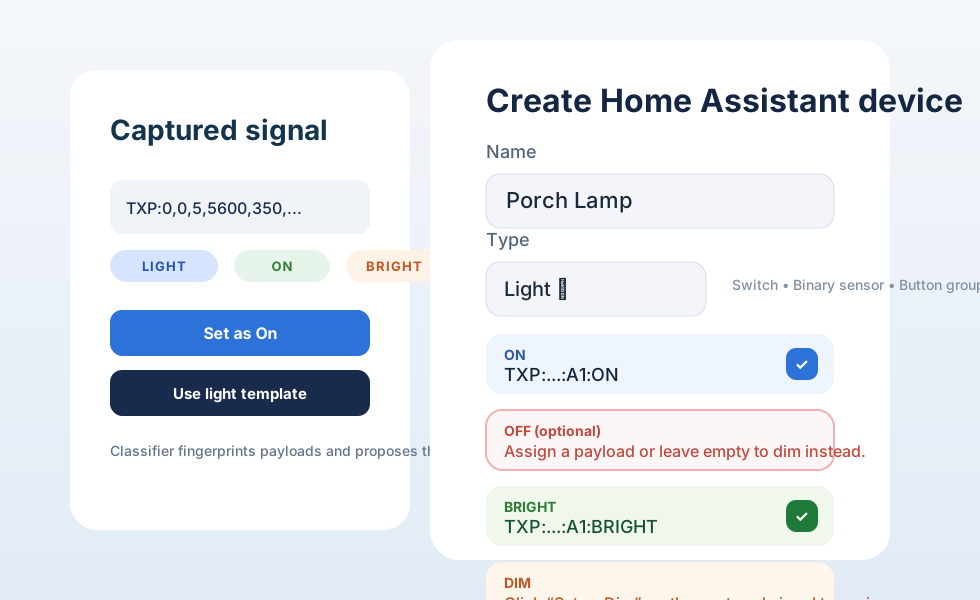
Incoming payloads display suggested entity types and actions. Selecting a chip applies a template to the creation form: required fields appear, optional controls collapse, and preview data updates in-line so the mapping is crystal clear before saving.
Call-outs for this view:
Classification chips are keyboard-focusable, supporting both mouse and power-user workflows.
The adaptive form surfaces validation hints as you type, preventing invalid signal definitions from ever being submitted.
Compact spacing keeps the payload preview within the visible frame so you can audit captured codes without scrolling.
Device inventory controls
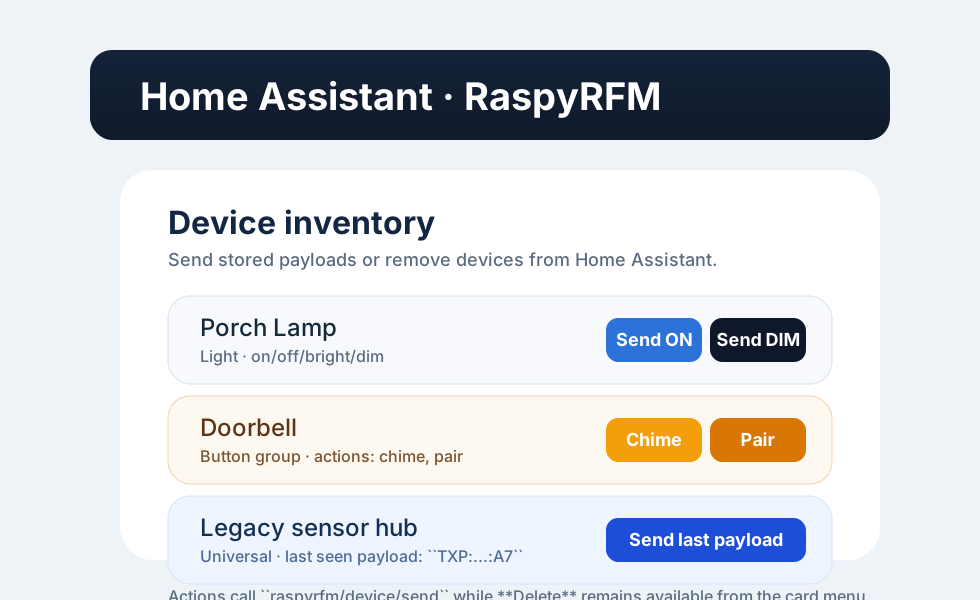
The device list surfaces per-action send buttons, grouped quick actions, and universal receivers so you can replay signals directly from the panel. This view also highlights the gateway connection state and last-seen signal for rapid diagnostics.
Productivity boosters:
One-click send actions inherit the last payload, while the overflow menu exposes edge-case utilities (duplicate, rebind, inspect payload).
A collapsible filter bar lets you slice the inventory by manufacturer, location, or control-unit type without leaving the page.
Tiles use consistent padding and typography so labels never collide with the card borders, even on narrow displays.
Entity card anatomy

Entity cards are deliberately layered to emphasise priority. The leading column contains active entities with full-colour headers, the centre column shows contextual variants (timers, automations, diagnostics), and the rear column illustrates deferred or pending states with softened opacity.
Highlights:
Each card uses token-based spacing, so iconography and copy never overflow when translated.
Overlapping shadows demonstrate the depth hierarchy RaspyRFM follows across the application.
Header pills share the same colour palette as live entities, allowing a quick scan to match docs to the running UI.
Entity timeline and automation view

The timeline render showcases how captured entities flow through automation stages. Rows represent devices, colour-coded pills mark active steps, and trailing badges expose follow-up actions. Spacing between rows mirrors the application’s virtualised table so long names stay readable.
Mapping editor overview
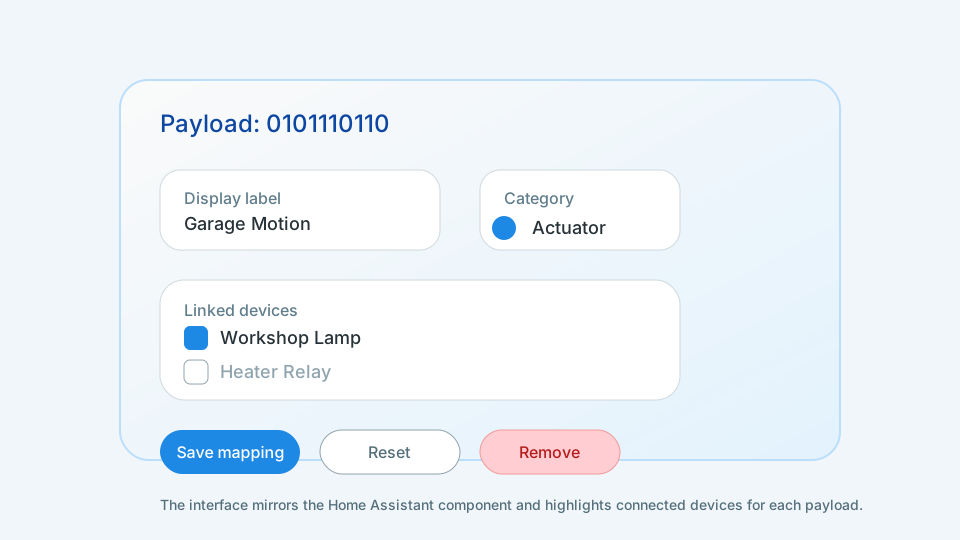
The mapping editor demonstrates how RaspyRFM keeps large configurations manageable: cards are draggable, stacked in responsive columns, and preview their payload before you publish changes.
Why it works well:
Preview panes are pinned to the right-hand column so long descriptions do not overlap adjacent cards.
Drag handles sit inside the padding threshold, preventing them from overflowing when the viewport is compressed.
The editor inherits the same spacing rhythm as the inventory, creating a consistent visual language across the app.
End-to-end flow map
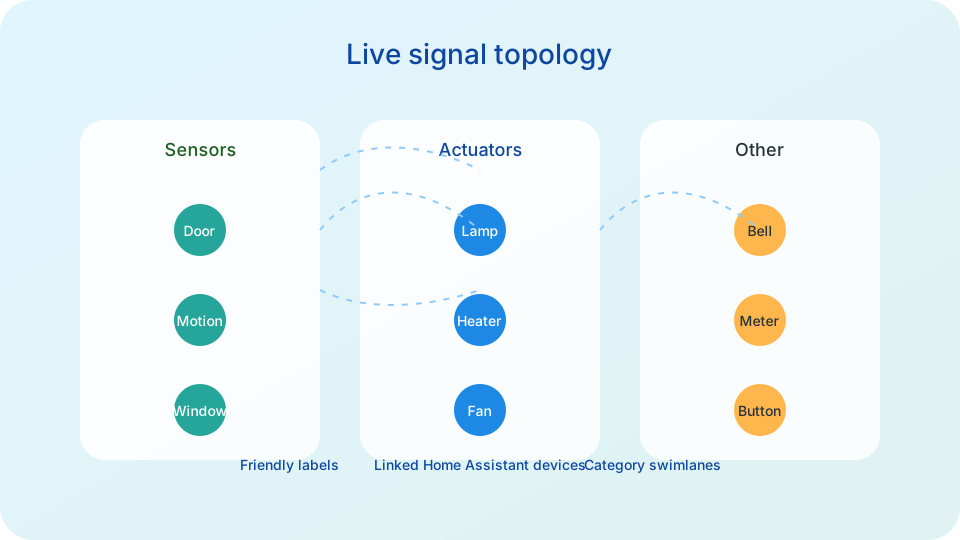
This overview ties the showcase together with the same flow chart the product team uses internally. It maps capture, catalogue, and automation touch points so you can see exactly where each UI panel fits in the larger signal-processing lifecycle.